Tuesday, January 4, 2022

Electrical Installer for Technology

 Adding power to your data

Our current world is highly driven by data, we can often simply overlook the importance of electrical installation when moving or upgrading our commercial space. Furthermore, when relocating you may become so concerned with data cabling Watford that you forget to consider electrical cabling in your budget and installation plans. You must consider an electrical installer when relocating. After all, without power, data cabling will not function. 
How can an electrical installer help me? 

Improve electrical efficiency, this will lower your electrical bills

Improved designs which will increase the safety of your building

Increase protection against power outages.

Prevent power surges. This will protect the expensive technology used by your business.

How do I prepare for an electrical installation? 

Design for flexibility 

The advancement of technology has heavily influenced the ways of the work world. For instance, employees are now able to work remotely, or in a collaborative manner. Break-out rooms, meeting areas, and open-plan offices are now part of the modern-day office design. For this reason, it’s important to ensure you have electrical power sockets in multiple areas throughout your office. Lastly, you must plan to have outlets in communal meeting spaces as well as standard and hot desks. This will allow your premises to remain flexible.

Allow for extra capacity 

Technology has changed the way we work. In most cases, employees will have more than just a desktop computer on their desks. Some may have, phones, laptops, and tablets. All this equipment requires electricity to work. Therefore, we recommend a minimum of 4 electrical sockets for each desk, in some cases, you may need to increase to 6 or 8.

Floor boxes or grommets

Floor boxes are more difficult to place, it can be tricky for the engineer to cut the floor tiles close enough to the edges. In addition, a floor box placed in an open area will allow the data cabling Westminster to be kept away beneath the floor until it's being used.

Grommets can be a much more precise way to place a cable. The cables can be installed in a precise desk location and in the floor. On the other hand, with a grommet, the cables are not concealed as they are with a floorbox. Alternatively, the cables go from the floor to the desk, which doesn’t make them the most suitable solution in all cases.

Focus on special requirements

Not all electrical installations are created equal. Some office spaces might have special electrical requirements and needs. High traffics areas might require high-powered equipment to handle the electrical needs. Rooms such as common rooms or meeting rooms are classed as ‘high traffic areas’. Focusing on these areas will ensure your electricity is efficient and safe

Future proof 

Technology is not the same as it was 10 years ago, with new inventions delivered at a high rate, your business must be ready to progress with the time if you wish to stay relevant. Leaving room for expansion in your current building will allow your company to grow without having to relocate. Furthermore, having additional power sockets and floor boxes will give you the freedom to add more desks should your company expand.

Back-Up power

Although, you may have followed a professional’s advice throughout the installation of your premises. An electrical installer cannot guarantee your premises will not suffer from a random power outage, surge, or any other electrical faults. Installing a UPS system will further protect your business in an event of a power outage.

Original Source: Electrical Installer for Technology

Thursday, December 2, 2021

Computer Cabling Services

 NM Cabling is here to assist you in protecting your computer technology. We can help to increase data transfer speeds, ensure efficient communications within your commercial building, and protect data integrity. To protect your investment in computer technology, your computer cabling must be correctly installed, tested, and maintained by an experienced company with the ability to prioritize your requirements.


Computer cabling services

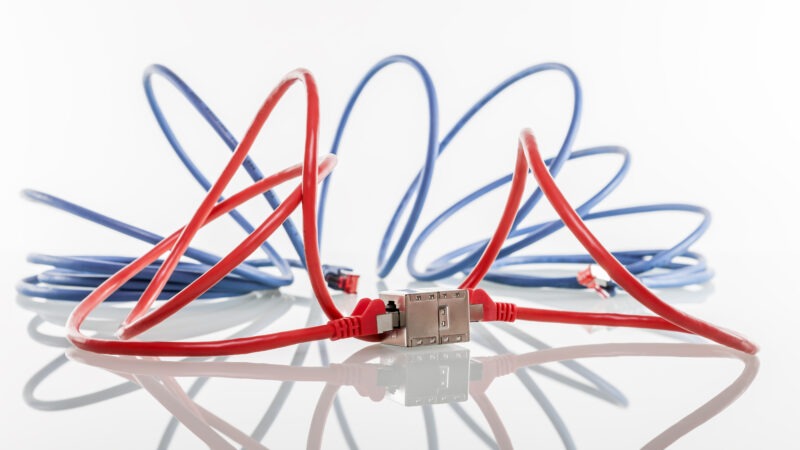
Computer cabling is a term widely used to describe all types of data cabling Westminster associated with computers and data transfer. For instance, Ethernet cabling, internet, and various types of telecommunications and networking. At NM Cabling we install and maintain all the leading types of computer cabling to provide a broad networking solution that will keep your data flowing and guarantee you peace of mind while you operate your business.

Computer data cables form local area networks (LANs) between computers in the same area. Thus, allowing them to directly communicate and share data with each other. Ethernet Network is a platform on which LANs are hosted. In addition, this is only possible when the data cabling is installed carefully and correctly.

Did you know – 50% of downtime experienced by companies is directly attributed to bad cables or poor installation.

Computer cabling functions 

All computer cables have common functions and traits. The cables create physical connections between ports through which data can be transferred electronically. Furthermore, the purpose of a computer cable is to transfer data, which can then serve multiple functions. 

Have you ever wondered how the internet work? This is made possible by using specific computer cables which connect computers and servers around the world. Even wireless internet is dependent on data cables. The wireless router must be physically connected to the internet via a data cable before it can broadcast the wireless signal.

Development of computer cabling 

Telegraph lines we used to facilitate telecommunications. Alexander Graham Bell used them to make the first telephone call. The telegraph lines transferred data through copper wire and utilised single- wire earth return circuits. In the 1880s these circuits were replaced with balanced circuits. 

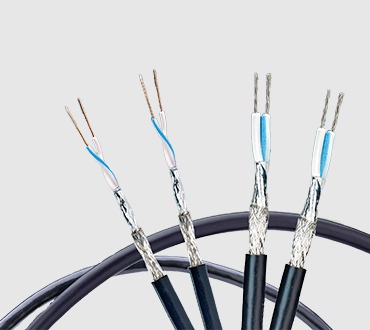
With the popularity of the telephone increasing, interference between the copper wires started to become an issue. As a result, this led to the invention of twisted pair cables. Twisted pair is when copper wires are twisted around each other. Furthermore, each pair has a unique twist rate, this is to prevent signals from getting mixed. This technology is still in use today. The advancement of technology has allowed these cables to become faster and capable of spanning long distances. However, the original premise behind twisted pair cables has not changed.

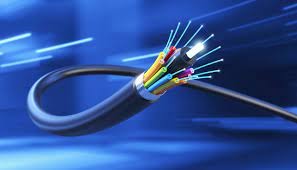
As technology advances, computer cabling progresses with the changes. The most recent invention is fibre optic cables. These cables are widely recognised as a superior alternative to copper. In addition, fibre optic cores are made of glass or plastic and carry rays of light over long distances. Fibre optic is extremely quick and immune to electromagnetic interference. 

Types of Computer cables

Cat3 Data Cable 

Chances are you’ve never heard of this cable before. Cat3 cables were popular in the 1990s but are hardly used today. The cable is a copper twisted pair that can transfer up to 10Mb/sec, the maximum bandwidth is 16MHZ. Generally, cat3 is used for VoIP phones. 

Cat5 and Cat5e Data Cables

Cat5 was the category before Cat5e, it’s a twisted pair cable. This cable is not widely used with today’s technology. However, Cat5e is still in use and its mainly used for Ethernet. The cable can transfer up to 1000Mb/sec with a bandwidth of up to 350MHz. 

Cat6 and Cat6a 

Category 6 and 6a are widely used by various companies due to the high performances they offer. The cables have a bandwidth of 250Mhz and 550Mhz. with transfers of up to 10Gbps. This cable is the go-to data cable for many business requirements.

Cat7 & Cat 8

These cables are not as popular as those above, due to their high performances the cables are more expensive in comparison.

Cat 7 – 600Mhz and up to 10Gbps

Cat8 – 2000Mhz and up to 40Gbps

Fibre Optic Data cables

Fibre optic is the latest development of computer cables. This cable allows data to be transferred through specifically engineered lengths of plastic or glass. The cable has a lot of advantages in comparison to copper cables. For example, speed, flexibility, reliability, and more. However, the advantages do come with a higher cost.

Installing computer cabling 

The installation of computer data cabling Watford should not be taken lightly. The process is very important for several reasons. For instance, a network can’t be functional if the cables are not installed correctly. Additionally, failure to correctly mark wires will cause issues when fault finding, potentially costing your business more money to hire an engineer for long periods of time. Call our highly experienced team at NM Cabling for all your computer cabling queries. Our engineers adhere to international and European standards. 

Original Source: Computer Cabling Services 

Tuesday, November 2, 2021

What is Single Pair Ethernet (SPE)

 In May 1973 while working at Xerox PARC, Bob Metcalf introduced the concept of ethernet. Following this, IEEE turned the Ethernet concept into a global standard in 1983 with the release of IEEE Std. 802.3a, this supported 10Mb of data transmission over a coaxial cable. The advancement of Ethernet took another progressive step in 1990 by developing IEE Std. 802. 3i, this was built to support the 10BASE-T application, providing 10Mb of data transmission over the twisted-pair network cabling London.


Since then, the evolution of ethernet has grown rapidly. Quickly moving on from coaxial to twisted-pair copper cabling. This change saw an increase in transmission speeds and reduced costs. To begin with, only two twisted pairs were used, but this soon evolved to four pairs to achieve higher data rates. Now Ethernet is one of the most commonly used protocols for transmitting data between electronic devices. So, what is a single pair ethernet (SPE)? 

What is SPE?

Traditional ethernet cables from the LAN sector or Industrial Ethernet cables use two or four pairs of wires depending on the transmission rate.

Single pair Ethernet cables only contain one twisted pair (single pair). Single twisted-pair cabling was first used in the 1870s, instead of having two straight wires next to each other, the conductors were twisted together to improve the electrical performance. The twisting of the conductors resulted in the cancellation of unwanted electrical noise from nearby pairs or other sources. In the 1870s, single twisted pair cabling was used to interconnect telephones.

Centuries later, the single twisted pair cabling is still in use. The use of this cable is now commonly found in building automation, industrial, and automotive applications. SPE offers additional advantages in comparison to the traditional cable. 

For example

1. Thinner bending radii 

2. Smaller cables. Saves material and costs. Great for weight and space-saving designs.

3. Transmission rates of up to 1Gbit on a single pair

4. SPE cable design enables much faster /easier installation, reducing errors in assembly

5. Single Pair Ethernet uses PoDL to supply terminal devices with up to 50W via the data line.

6. Lower caloric load, less smoke development 

SPE Power delivery

To enhance its usefulness, IEEE developed the ability to transmit power and data over the same twisted pair. Power transmission over 4-pair Ethernet cabling is commonly called Power over Ethernet (PoE). Power transmission for SPE IT cabling London is referred to as Power over Data Lines (PoDL). This standard specifies multiple classes of powered devices delivering between 0.5 and 52 watts of power. It’s important to realize, although PoDL technology is not compatible with the existing 2 and 4 pair POE equipment. It has the same advantages as PoE as it provides for centralized power control and backup power.

SPE Cables

Single Pair Ethernet cables are built to support a maximum frequency that corresponds with one or more IEEE applications. Additionally, there are also separate standards for patch cables and horizontal cables. Although it's possible to manufacture patch cords from horizontal cables, patch cables generally employ stranded conductors instead of solid ones. Thus, offering increased flexibility at the expense of diminished electrical performance over long lengths. 

SPE connectors

The interfaces discussed in the IEC 63171 standards for connector types 1-6 are open-sourced, allowing any manufacturer to make connectors with the interfaces. As a result, this will increase the likelihood of broad industry adoption. Manufacturers maintain the common interface; however, they have innovative freedom. They can implement proprietary features in other areas of the connector design. 

Original Source: What is Single Pair Ethernet (SPE) 

Tuesday, October 5, 2021

What is Data Cabling Used For?


What is Data Cabling?

Data cables are a crucial part of any IT infrastructure. Without data cables, you would be unable to transmit data between two points e.g. from a server to an individual PC. Accordingly, you need the right data cables for your specific needs to remain productive. But the world of data cables can be complex. There are many different categories available and understanding which one is best for you can be difficult. Getting to grips with data cables is important, so let’s look at how you can make the right choice. 


What Types of Data Cables Are There? 

There are three main types of data cables available: 

Twisted Pair: These data cables use a pair of twisted copper cores and are mostly found in telecommunications. The purpose of this twisted construction is to minimize any degradation to the signal. One of the twisted cores is used to transmit information while the other acts as a grounding wire. Typically, a Cat 6 cable – which uses the twisted pair design – can carry data over 100m without any signal degradation.

· Coaxial: Most commonly seen in older IT infrastructures, coaxial cables have high bandwidths and are capable of carrying high-frequency signals. These cables use a solid wire at their center as a conductor – which is within an insulator – and then an outer conductor is used to create a functioning circuit. This type of cable is popular in digital telephone networks due to the amount of data they can carry. 

Fibre Optic: One of the newer forms of data cabling, fibre optic cabling has brought revolutionary technology to network cabling London. Fibre optic cables use beams of light to transmit data and consist of an inner core and outer cladding. The cables are lightweight and capable of transmitting data over distances of up to 10km and at maximum speeds of 10 gigabits per second. Fibre optic cables are most used within telecommunications, cable TV, and local area networks.

A commonly asked question is whether ethernet cables are the same as data cables. The answer to this comes down to terminology. The term ethernet refers to a local area network rather than a specific cable. Any data cable used within such a network can technically be referred to as an ethernet cable. 

Data Cabling Installation

One of the best methods to adopt when it comes to data cabling is the structured cabling approach. This method uses patch panels and trunks to build an infrastructure whereby subsystems can be set up to support multiple hardware uses. Most importantly, structured cabling is scalable and makes future expansion much easier. These cabling systems can integrate twisted pair, coaxial, and fibre optic – although these different categories cannot directly connect with each other – and make it a versatile option.

The installation of data cabling Watford, whether it is structured or the more traditional point-to-point method, is a complex undertaking. Rather than taking this on yourself, it pays to bring in the services of a professional. Not only will they be able to deliver an installation that operates to a high standard, but the stress that they save you will be invaluable. 

Original Source: What is Data Cabling Used For? 

Thursday, September 2, 2021

What is Fibre Optic Cabling

 Fibre optic cabling systems are crucial for the success of your business. In a fast-paced world where anything below par can hinder your success and competitiveness. Fibre optic cabling can provide you with the instant transmission of information you need to keep your business functions above par. After all, communication is crucial when it comes to operating a business. Fibre optic cables have become the go-to choice of cabling as they hold a number of advantages over copper cables. For example, they have higher bandwidth and transmit speed. These cables are commonly used in telecommunication services such as the internet, telephones, and television.

How does fibre optic cabling work?

Optical fibre cables are made up of thousands of fibre strands that are as thin as human hair. The fibre transmits information in the form of light particles or photons. The photons can be transmitted over large distances of 100km+, this alone makes fibre optic network cabling London perfect for communication systems.

When light signals are passed through the cable, they reflect off the core and cladding in zig-zag bounces, this process is known as total internal reflection. Unfortunately, the light signals do not travel at the speed of light due to the density of the glass layers. However, the light signals travel 30% slower than the speed of light. In spite of this, fibre is still a lot faster than traditional copper. To boost the signal through its journey, a switch may be placed at distant intervals to regenerate the optical signal by transforming it to an electrical signal, processing that electrical signal and retransmitting the optical signal. 

What are the two types of fibre optic cables? 

Single-mode

Singlemode fibre is used for long distances because of the smaller diameter of the glass fibre core. This reduces the possibility of losing signal strength. Due to the thin core, the light signals can travel directly through the core without the risk of bouncing off the internal sides of the fibre optic cable. This reduces the amount of light reflection created during the transmission. 

Multimode

Multimode fibre cables are noticeably larger in comparison to single-mode, they can be 10x larger than a single mode in diameter. One of the main benefits of multimode is the greater light-gathering capacity. This allows light to travel along with a variety of different paths within the cable. Multimode fibre can only transmit signals over short distances, these cables are perfect for connecting internal computer networks.

What is fibre to the desk?

Also known as FTTD, Fibre to the desk is a cable solution of using fibre-optic cables to connect workstations to the company’s network instead of the traditional copper cable. The traditional method is also known as fibre to the office, this method involves local conversion from fibre to copper data cabling Watford connecting the user. FTTD installation costs are higher than the traditional method the advantages of futureproofing and security make up for the expenses.

How to test fibre optic?

Much like all forms of technology, fibre optic cables are also prone to wear and tear, as well as failures. Testing your fibre optic cable is essential If you wish to maintain the advantages. The best way to maintain your cables is through OTDR (Optical Time Domain Reflectometer). The OTDR has the ability to compose a comprehensive picture and analysis, providing you with a clear picture of the cable’s health status. OTDR can be used to analyse splice loss, fault finding and accurately measure lengths. Lastly, it can also read the performance of the cable and structural problems, enabling you to identify and rectify any faults. 

Original Source: What is Fibre Optic Cabling 

Tuesday, August 3, 2021

Latest CCTV Technology


Understanding New CCTV Technology 

Safety and security solutions continue to evolve and, at the centre of this evolution, is CCTV technology. Present in our society for over 30 years now, CCTV remains a crucial tool when it comes to fighting crime and keeping people safe. But, as with all technology, the capabilities of CCTV have moved on considerably since it was first launched. And that’s why it’s important to understand new CCTV technology and the rules associated with it.


Which CCTV Camera is Best for an Office?

A wide range of options are available when it comes to choosing a CCTV camera for an office; the best ones to look at are:

Wireless: These cameras benefit from wireless technology and ensure that your cameras remain discreet and don’t impact the aesthetics of your office. Best of all, wireless CCTV cameras can be repositioned with minimal fuss and disruption. 

Pan/Tilt/Zoom: Offices can be large and, therefore, difficult to monitor. But a Pan/Tilt/Zoom camera gives you the freedom to rotate the view in order to investigate all activity. This allows you to keep an eye on large spaces with just one camera.

Domed: A major benefit of a domed camera is that they provide a discreet solution to your monitoring needs. With a camera housed within a dome, a domed camera minimises the intrusive effect of a ceiling-mounted camera.

When it comes to the form in which these technologies take, there are generally two options: analogue and digital. Analogue solutions tend to be more cost-effective and their network cabling London allows cameras to be set up over long distances. Digital solutions, meanwhile, provide high-quality video and continuous recording. And the footage captured, by both analogue and digital solutions, can easily be recorded directly to external hard drives. This is much more convenient than traditional videotape solutions and allows multiple backups to be created quickly.

What is the best position for CCTV?

The best place to install CCTV cameras in an office is dependent on the type of camera being used. Cameras that are unable to tilt or pan, for example, are best placed in corners of the office in order to cover a wide area. If your cameras do have the option to tilt or pan then it makes sense to position them in the centre of the office where they can maximise their coverage. Additionally, it’s important that cameras are positioned so that they can easily monitor any entry or exit points. 

What are the rules about CCTV cameras?

It’s vital that you use CCTV in a manner that is legal and respects the privacy of your staff. So, if you are installing CCTV in your office, make sure you abide by the following rules:

Inform Staff: It is illegal to install CCTV cameras without telling your staff. Make sure that this is communicated before installation and that it is referenced in any staff contracts

Follow Data Protection Laws: The recordings of your staff count as personal data, so they need to be treated correctly. In order for this data cabling Watford to remain secure, it’s essential that access to any CCTV recordings is limited to a select few. Naturally, strong password protection should also be applied to any external hard drives and recordings. 

Do Not Keep Footage Indefinitely: It’s not necessary to keep footage for any longer than it’s useful. In general, keeping footage for between 30 – 90 days is acceptable. But, after this, it should be disposed of correctly and deleted in a manner that makes it irretrievable.

Original Source: Latest CCTV Technology

Saturday, July 3, 2021

Large Area WiFi

 Wi-Fi is a crucial element in any building where there are people, be it a domestic or a corporate setting. But, when you’re dealing with a Large Area of Wi-Fi, you need to be more advanced than just having a router. Wi-Fi technology has certain limitations associated with it, so it’s important that you understand how to work around these restrictions. Thankfully, as long as you learn the best ways to solve these problems, Wi-Fi in a large building should pose no issue.


Planning a Large Area Wi-Fi

Long before you start to install Wi-Fi equipment, you need to draw up a plan to minimize potential hurdles further down the line. In particular, make sure that you.

Create a Cabling Plan: Designing a thorough cabling plan is essential. Not only do you need to take your employees' productivity into consideration, but you also have to evaluate the specific needs of the building e.g. access points, ceiling cavities, etc. Scalability, of course, is another area to consider, so it makes sense to plan for future expansion. Finally, you will also need to plan which type of data cabling Watford you need and what your budget allows. Following these strategies will almost guarantee that your installation runs smoothly.

Correctly Position Wi-Fi Equipment: The signal for large area Wi-Fi needs to cover a large amount of ground; you can help your setup achieve this by positioning wireless equipment correctly. Evaluate the space that your Wi-Fi needs to cover and install wireless access points accordingly.

Choose the Right Equipment: Wi-Fi solutions for large buildings will be considerably more complex than those used in smaller locations. This means that you are going to need to invest in some serious technology to meet your location’s needs. Make sure that you cover these requirements with vendors before making any purchases. 

Common Large Area Wi-Fi Problems

All technology has the capacity to fail and cause problems; Wi-Fi is no different. Here are some of the most common Wi-Fi problems: 

Slow Connection Speeds: The main bugbear of any Wi-Fi user is slow speeds. These are often caused by installation problems, so your Wi-Fi equipment is the best place to start troubleshooting. Are, for example, your access points facing the right direction? Additionally, it may be that your access points are inadequately positioned to cover the necessary distance. 

Interference: Wi-Fi uses radio waves to send signals between devices and these transfers can easily be disrupted. The interference can be generated by power sources, cordless phones, and even microwaves. The impact of this signal disruption can quickly result in network dropouts and a reduction in productivity.

Incorrect Cabling: Cat5 and Cat6 cabling will allow you to run Wi-Fi connections over distances of around 100 metres. But, over that, they will struggle to deliver any sense of performance. And, in a large building, you may need to cover larger distances. Therefore, it may pay to investigate fibre cabling, this will allow you to transmit data over much larger distances.

What is the maximum range of Wi-Fi?

The range of a Wi-Fi signal, using traditional network cabling London, is around 100m, but this range can now be extended with fibre optic cable to a distance of up to 2,000m. Naturally, each building will have different needs and this is why a firm plan is crucial. So, by taking the time to invest some effort into your Wi-Fi structure, you should soon reap the benefits of a powerful Wi-Fi service.

Original Source: Large Area WiFi